Bring your own sync server.
This guide is for people comfortable running a web server. Sync is completely optional — if that’s not you, cinefill works fully without it. cinefill stores data on your device first. When you turn sync on, you give the app a server URL and a personal token, and it mirrors your diary, watchlist, and standout episodes to that server.
What the app calls
Enter the origin of your server in the app, for example https://media.example.com. cinefill appends these paths:
Health check
GET /api/cinefill/v1/health should return any 2xx response when the bearer token is valid. The app uses this to test your settings.
Sync exchange
POST /api/cinefill/v1/sync receives local changes and returns server changes in one request. Use Authorization: Bearer YOUR_TOKEN and Content-Type: application/json.
Request shape
The app sends a schema version, its device ID, the last cursor it received, and dirty local records grouped by collection.
{
  "schemaVersion": 1,
  "deviceId": "device:...",
  "cursor": "opaque-server-cursor-or-null",
  "changes": {
    "diaryEntries": [],
    "watchlistItems": [],
    "episodeStandouts": []
  }
}
Response shape
Return the records you accepted, the next cursor, and any remote changes the device has not seen yet. Cursors are opaque: choose a timestamp, sequence number, or durable change-log token that works for your server.
{
  "schemaVersion": 1,
  "serverTime": "2026-05-28T21:00:00.000Z",
  "nextCursor": "opaque-server-cursor",
  "accepted": {
    "diaryEntries": ["diary:..."],
    "watchlistItems": ["watchlist:movie:123"],
    "episodeStandouts": ["standout:123:1:4"]
  },
  "changes": {
    "diaryEntries": [],
    "watchlistItems": [],
    "episodeStandouts": []
  }
}
Record shapes
Each collection uses the same merge fields: syncId, updatedAt, deletedAt, and lastModifiedDeviceId. These examples show the fields your server should store and return.
DiaryEntry
{
  "syncId": "diary:lwm7c4x1:ab12cd34ef56gh78",
  "tmdbId": 123,
  "mediaType": "movie",
  "seasonNumber": null,
  "seasonName": null,
  "title": "Example Film",
  "year": "2026",
  "posterPath": "/poster.jpg",
  "watchedDate": "2026-05-28",
  "rating": 4.5,
  "note": "A private note.",
  "isPublic": false,
  "createdAt": 1779991200000,
  "updatedAt": 1779991200000,
  "deletedAt": null,
  "lastModifiedDeviceId": "device:..."
}
WatchlistItem
{
  "syncId": "watchlist:movie:123",
  "tmdbId": 123,
  "mediaType": "movie",
  "title": "Example Film",
  "year": "2026",
  "posterPath": "/poster.jpg",
  "isPublic": false,
  "addedAt": 1779991200000,
  "updatedAt": 1779991200000,
  "deletedAt": null,
  "lastModifiedDeviceId": "device:..."
}
EpisodeStandout
{
  "syncId": "standout:456:1:4",
  "tmdbId": 456,
  "seasonNumber": 1,
  "episodeNumber": 4,
  "episodeName": "Example Episode",
  "showTitle": "Example Show",
  "posterPath": "/season-poster.jpg",
  "markedAt": 1779991200000,
  "updatedAt": 1779991200000,
  "deletedAt": null,
  "lastModifiedDeviceId": "device:..."
}
Server checklist
- Store records by
syncId. Each record includesupdatedAt,deletedAt, andlastModifiedDeviceIdso clients can merge changes. - Treat
deletedAtrecords as tombstones. Keep them long enough for other devices to learn that something was removed. - Return only records owned by the token holder. cinefill does not send accounts or passwords; your token is the boundary.
- Keep diary and watchlist records private unless
isPublicis true. Public media pages should render only records the user explicitly marked public. - Make the operation idempotent. If a device retries the same request, accepting the same
syncIdagain should be harmless.
In the app
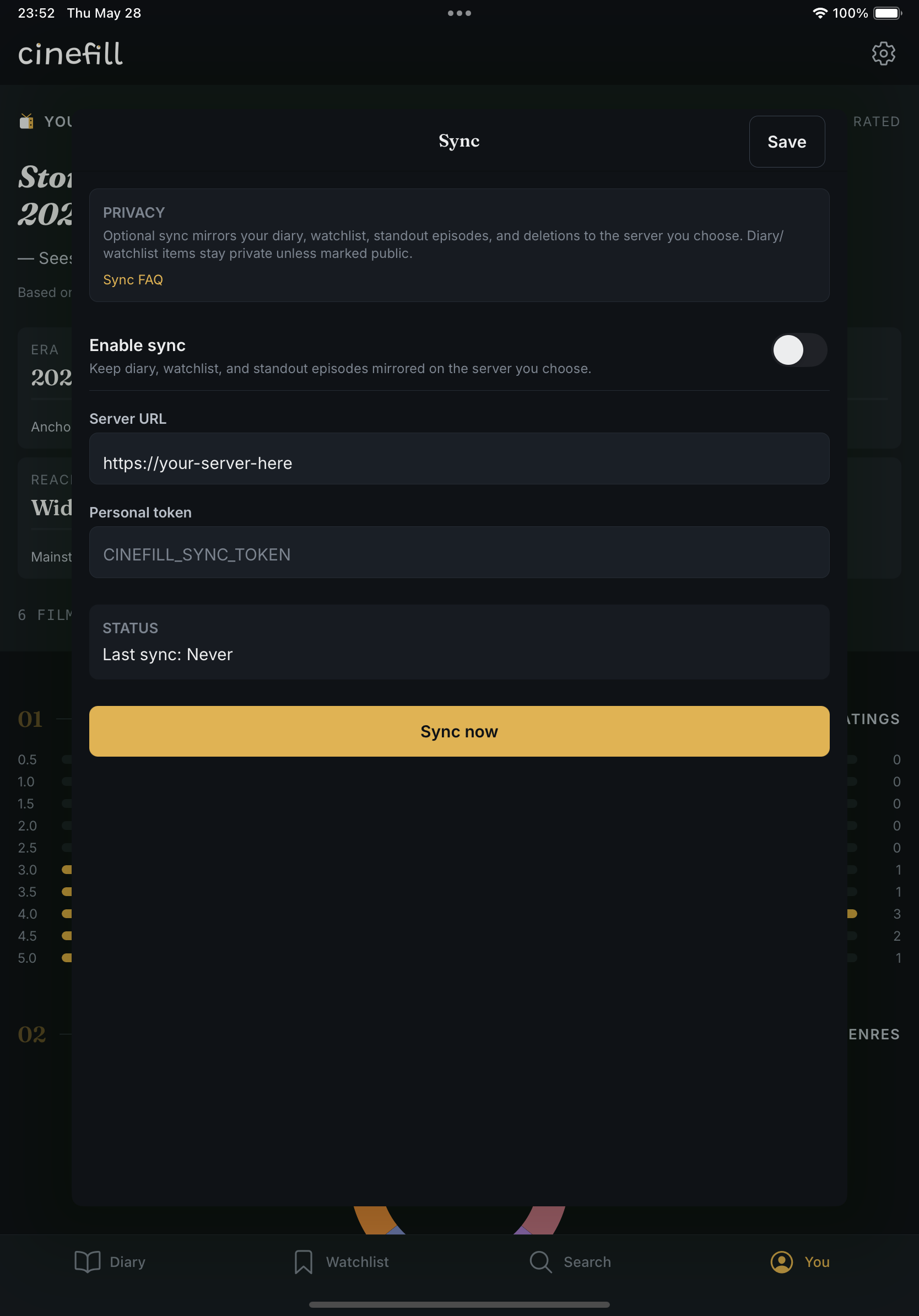
Open the gear in the You tab, choose Sync, enter your server URL and token, then tap Check connection. Once the health check passes, enable sync and tap Sync now.
For privacy behavior and common questions, read the FAQ.